
↓
Pick a clear expression
Start with a JPG, PNG, or WebP image you have permission to use. A simple face or illustration with a clear silhouette stays easier to read at small sizes.
Small image. Big reaction.
Turn your own image into a playful reaction GIF. Paint the ears, cheeks, or detail you want to move, preview a springy shake, and export locally in your browser.
Make an animated emote
A small shake. A big reaction.
A wide-eyed cat gives a still reaction a playful shake. Use this motion idea with your own character or photo.
Local motion lab
Choose a JPG, PNG, or WebP, then paint the exact part you want to make soft, bouncy, or strange.
A real edit, from start to finish
Keep the face easy to read and put the movement in the raised paw. This example uses the Bounce effect on an existing illustration.
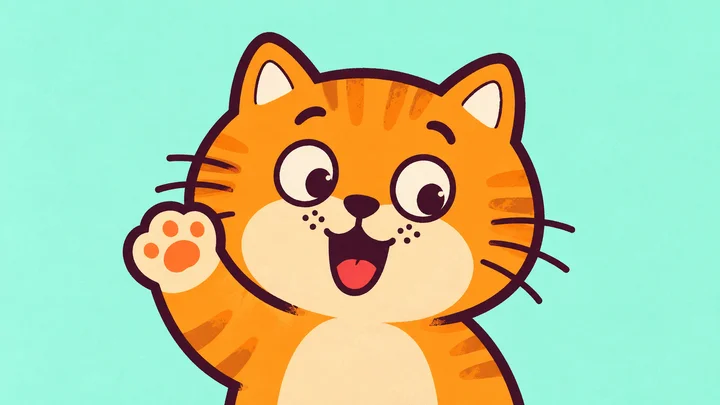
Start with the existing greeting illustration. The editor keeps the same face and expression.
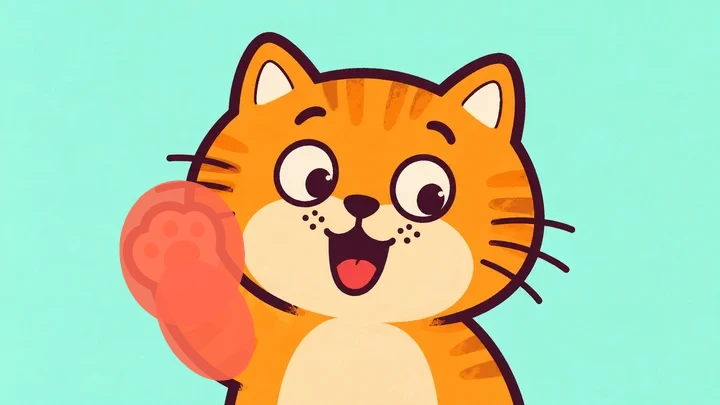
Paint the raised paw and the lower arm. Leave the eyes, mouth and ears unpainted.
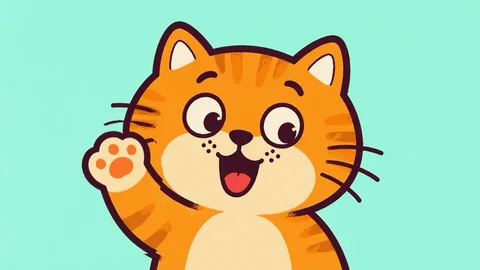
Export a 3-second GIF with Bounce. The small moving area keeps the greeting readable at a glance.
Open this image with its painted area and settings already applied. Adjust the motion or repaint before exporting.
From still to reaction
Start with a JPG, PNG, or WebP image you have permission to use. A simple face or illustration with a clear silhouette stays easier to read at small sizes.
Paint an ear, cheek, or raised hand. Jiggle is selected to start; try Bounce for an excited reaction or Sway for a gentle greeting. Keep text and facial features outside the mask if they need to stay still.
Start with a 3-second GIF and modest motion strength. Preview the result at its intended size, then check your destination’s file limits before uploading it there.
Reaction ideas
Use these as starting points for your own artwork. The editor adds motion to an existing image; it does not draw a new character or generate expressions.
Paint a raised hand or a pair of ears and try Bounce. Keep the mask small so the face remains recognizable.
Use the starting Jiggle effect on cheeks or an expressive detail. Lower the strength if the movement overwhelms the expression.

Try Sway on a character’s head or a soft accessory. Leave any caption unpainted so it stays readable.
Images, masks, previews, and exports are processed locally in your browser. This tool creates motion GIFs and WebM clips; it does not automatically crop, resize, or compress files to a chat platform’s requirements.
What you can make, how to export it, and what to check before sharing.
Yes. Use a JPG, JPEG, PNG, or WebP file up to 20 MB, with neither side above 4096 pixels and no more than 16 million pixels in total. Animated GIF input and multi-frame editing are not supported.
Check the destination’s current upload rules and your account’s permissions first. WobbleImage does not provide platform-sized exports or guarantee that a file meets their size, dimension, or transparency requirements. You may need another tool to prepare the final file.
GIF is useful for looping reactions. It exports at 15 fps, up to 720 pixels on the longest edge, with 128 colors. Choose WebM when you want a video file with more detail and faster export. Available durations are 3, 5, and 10 seconds.
Paint only the area you want to animate and use the eraser to tidy the mask around text and outlines. Preview at a small size: a broad mask or high strength can make an expression harder to read.
The browser records the motion first, then converts it to GIF locally. This takes extra time and memory. Start with 3 seconds on a phone; preview requires WebGL, and export depends on canvas recording and MediaRecorder support.
Keep exploring
Each focused tool opens the same local editor with a motion style chosen for the job.
Paint a motion area, choose from six spring effects, then export a GIF or WebM locally.
Explore toolGive one small detail a quick, springy shake while the rest of the image stays still.
Explore toolAdd a soft wobble to one part of a photo without changing the whole composition.
Explore toolPaint an exact mask and animate only the part of the image you selected.
Explore toolGive a dessert, mascot, or plush detail a soft, elastic wobble.
Explore toolCompare the focused WobbleImage tools and start with the motion style that suits your image.
Explore toolLooking for a Purupuru Maker alternative? Read the WobbleImage alternative guide