
↓
Choose a soft-looking subject
Try a pudding, a rounded character, or a plush accessory in a JPG, PNG, or WebP image. Leave space around the subject so the movement has room to breathe.
A little squash. A soft spring back.
Give a painted part of your image a soft, elastic wobble. Start with the Jelly preset, tune the strength and speed, then save a GIF or WebM without uploading your image.
Try the jelly effect
A star with a softer side.
A rounded star stretches and springs back. Try a gentle elastic motion on soft shapes in your own image.
Local motion lab
Choose a JPG, PNG, or WebP, then paint the exact part you want to make soft, bouncy, or strange.
A real edit, from start to finish
Paint the pudding body while keeping the plate and background clear. The Jelly effect makes the selected area gently stretch and spring back.
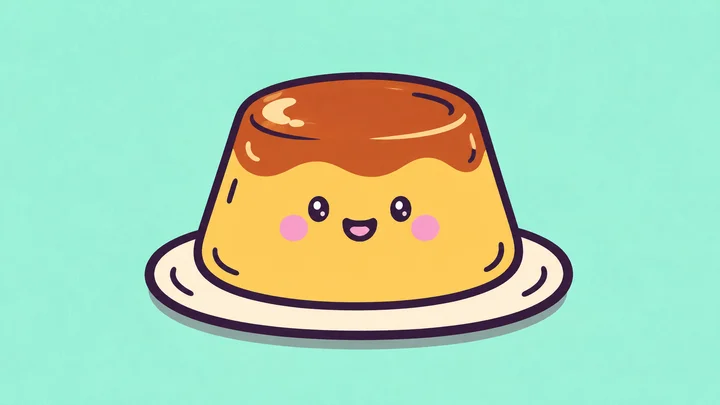
Use the existing pudding illustration as your starting image. Its rounded body makes the motion easy to see.
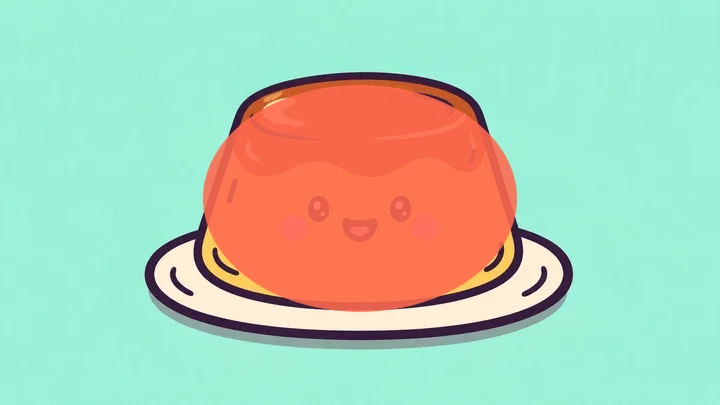
Paint the centre of the pudding body. Keep the plate and background outside the painted area.
Export a 3-second GIF with Jelly. This is the current editor’s local deformation, using the settings below.
Open this image with its painted area and settings already applied. Adjust the motion or repaint before exporting.
Shape the motion
Try a pudding, a rounded character, or a plush accessory in a JPG, PNG, or WebP image. Leave space around the subject so the movement has room to breathe.
Cover the soft center of the subject and keep lettering, sharp edges, and the background outside the mask. Jelly is already selected; start with low strength and a slower speed.
Raise the strength gradually, or drag and release the preview to test its spring. If outlines bend too far, reduce the strength or refine the mask. Export 3, 5, or 10 seconds as GIF or WebM.
Where jelly works
Jelly gives the painted area a squishy, elastic feel. These ideas work best with simple shapes whose outlines can bend without losing their character.
Paint the body of the dessert while leaving the plate still. Use a slower speed so the soft wobble has time to read.
Add motion to a character’s belly or cheeks. Leave small eyes and text outside the mask if you want them to remain sharp.

Try a soft ear, pom-pom, or cushion. Keep the mask inside the detail and use modest strength to avoid bending nearby hard edges.
Jelly deforms the area you paint; it is not a physical simulation or an AI video generator. Your image, mask, preview, and export stay in your browser, with no conversion-server upload.
How to choose a mask, keep outlines clean, and export the result.
Jiggle gives a detail a quick, springy shake. Jelly emphasizes soft, elastic deformation. Try Jelly for a squishy subject and Jiggle for a short, energetic reaction; strength and speed change how each feels.
Paint only the soft area that should move. Use the eraser near hard edges, lettering, and the background. If the result still feels too stretched, lower the strength and test a smaller mask.
Upload JPG, JPEG, PNG, or WebP up to 20 MB, 4096 pixels per side, and 16 million pixels total. The working canvas is reduced to at most 1600 pixels on its longest edge when needed.
Yes. GIF exports at 15 fps, up to 720 pixels on the longest edge, with 128 colors. It takes longer because the browser records and converts the animation locally. WebM is usually faster and retains more detail; both offer 3, 5, or 10 seconds.
Use a browser with WebGL for preview and canvas recording plus MediaRecorder for export. Performance depends on the device. Try a 3-second export first and avoid running several large exports at once.
Keep exploring
Each focused tool opens the same local editor with a motion style chosen for the job.
Paint a motion area, choose from six spring effects, then export a GIF or WebM locally.
Explore toolGive one small detail a quick, springy shake while the rest of the image stays still.
Explore toolAdd a soft wobble to one part of a photo without changing the whole composition.
Explore toolPaint an exact mask and animate only the part of the image you selected.
Explore toolTurn your own image into an expressive reaction GIF with a small shake or bounce.
Explore toolCompare the focused WobbleImage tools and start with the motion style that suits your image.
Explore toolLooking for a Purupuru Maker alternative? Read the WobbleImage alternative guide